M3U Player: How to Play an M3U Playlist in Your Browser
Looking for an M3U player? Here is how to play an M3U or M3U8 playlist in Chrome, Edge, Brave or Opera with BetterStream, plus fixes when channels will not load.

Sommaire
01What an M3U player does02How to play an M3U playlist with BetterStream03Add a programme guide04Player features that make a difference05If your playlist is a file on your computer06When an M3U playlist will not play07Use playlists you have the right to watchYou have the address of an M3U playlist and want to watch it. You need an M3U player: an app that reads the list, shows the channels or videos inside it, and plays the one you pick. You do not have to install a desktop program for that. A browser extension can do it, and that is what BetterStream is built for.
This guide shows how to play an M3U or M3U8 playlist in Chrome, Edge, Brave or Opera, what to look for in an M3U player, and how to fix the usual problems.
What an M3U player does
An M3U file is a text list of stream addresses with names, groups and logos (our guide what is an M3U file explains the format). A good M3U player:
- Reads extended M3U: the
#EXTINFnames,group-titlegroups andtvg-logopictures. - Plays the streams inside, which are usually HLS (
.m3u8), sometimes DASH (.mpd) or plain MP4. - Shows a programme guide when the playlist links to an XMLTV file.
- Handles big lists, with search, favourites and a way to hide dead entries.
- Remembers your place in films and episodes.
How to play an M3U playlist with BetterStream
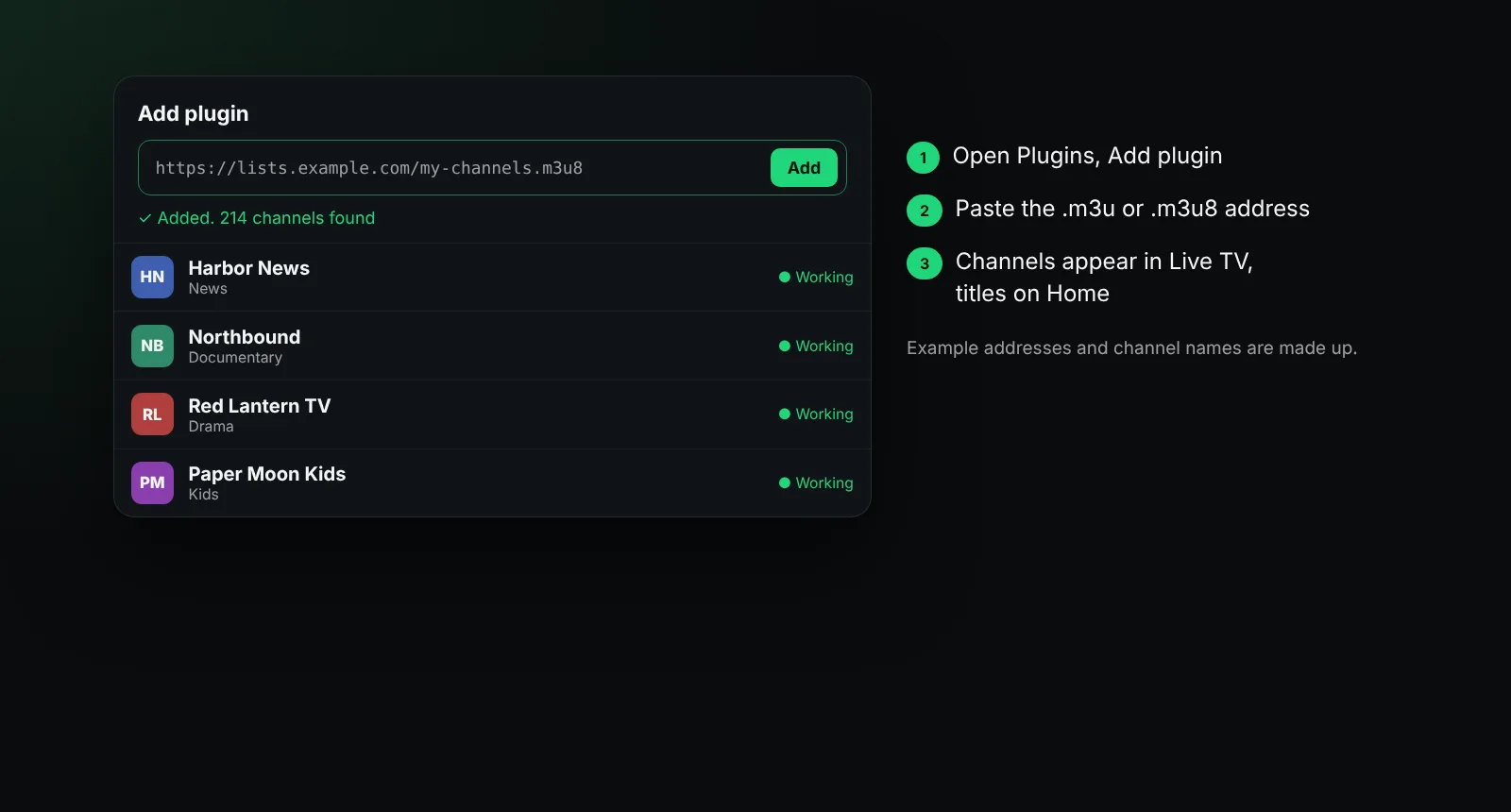
- Add BetterStream to your browser. It is free and there is no account. It works in Chrome, Edge, Brave and Opera on a computer.
- Open BetterStream from the toolbar and go to Plugins.
- Choose Add plugin and paste the playlist address. It can end in
.m3uor.m3u8. BetterStream recognises the type on its own. - Wait a moment while it reads the list. It shows how many channels or titles it found.
- Press play. Live channels appear in Live TV, grouped as in the playlist; films and episodes appear on Home.
Live TV checks channels quietly in the background and hides the ones that no longer answer, so a large playlist does not fill your screen with dead entries. Hidden channels are tried again later.
Add a programme guide
If the playlist header names a guide (x-tvg-url or url-tvg), BetterStream fetches it automatically and shows what is on now and next. You can add more XMLTV guide addresses in Settings. Channels are matched to the guide by their tvg-id, so a playlist with good IDs gets the best results. More in what is an EPG.
Player features that make a difference
- Quality, speed and audio tracks from one menu.
- Subtitles from the stream or your own SRT, VTT or ASS file, with size, colour, background and timing controls.
- Picture-in-picture to keep a channel in the corner while you work (see picture-in-picture in Chrome).
- Keyboard shortcuts for every control; press
?in the player to see them. - Backup of your playlists and settings to a file.
If your playlist is a file on your computer
BetterStream adds playlists by address. If your .m3u file only lives on your computer, a desktop media player can open it directly. If you made the playlist yourself and it points to streams you are allowed to watch, you can also host the file at an address you control and add that address.
When an M3U playlist will not play
| Symptom | What it usually means |
|---|---|
| "Could not read the playlist" | The address is wrong, private, or no longer online |
| The list loads but channels stay black | The streams behind the entries are offline or blocked for your region |
| Some channels play, many do not | Normal for large lists; BetterStream hides the ones that fail |
| A channel needs a login | It belongs to a service that must be used through its own app or site |
| Sound but no picture | The video codec is not supported by the browser |
Also check that the playlist is meant for you: many services issue a personal playlist link tied to your account.
Use playlists you have the right to watch
BetterStream comes empty. It does not provide, recommend or link to playlists. Add only M3U playlists you are allowed to use where you live, such as one from a service you subscribe to or channels published by their owners.
Frequently asked questions
Is there a free M3U player for Chrome?
Yes. BetterStream is a free M3U player extension for Chrome, and it also works in Edge, Brave and Opera.
Can an M3U player play M3U8 links?
Yes. M3U8 playlists and single M3U8 (HLS) stream links both play in BetterStream.
Why do some channels in my M3U playlist not work?
Each entry points to a separate stream run by someone else. Streams go offline, move, or are limited to certain regions or apps.
Does BetterStream store my playlist on a server?
No. Your playlists and settings stay in your browser. You can back them up to a file.
More answers in the help center, or read what is M3U8.